

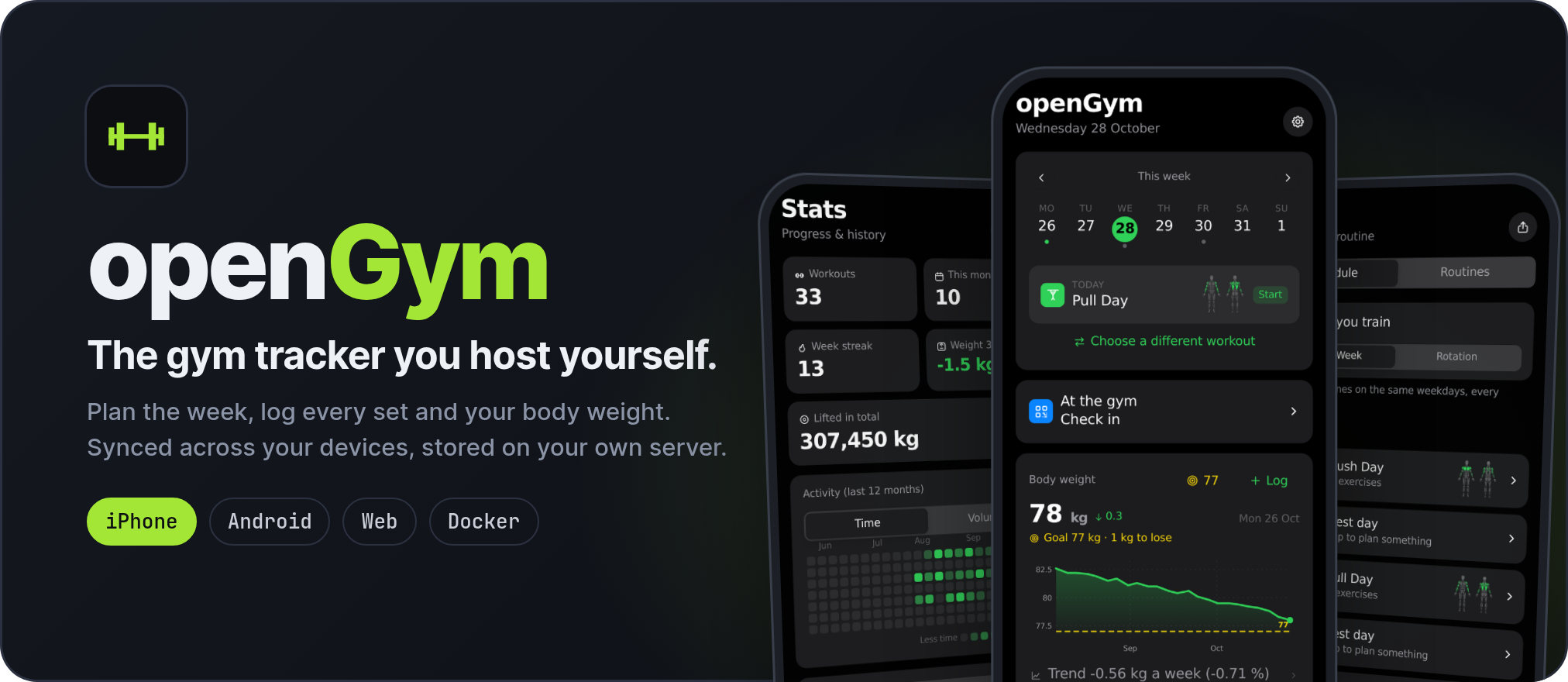







Most workout apps keep your data on their servers, push you towards a subscription, or vanish when the company does. openGym runs on your own box, keeps your data in a folder you control, and is yours to fork. It still behaves like a modern app: installable on the home screen, passkey sign-in, works offline, syncs between your phone and your laptop.
No account on someone else's server, no subscription, no ads, no telemetry. One
docker compose up and it's running.
The in-browser demo is the real app with example data, if you want to try it before installing anything.
Planning
- A routine per weekday over a library of over 5,600 exercises with animated demos, searchable and browsable by muscle on a body map. Filter by the equipment you own.
- Four starter plans (Push/Pull/Legs, Upper/Lower, Full Body, 5×5) that load as ordinary, editable routines.
- Every session on the Plan page and today's on Home carries a tiny body map with the muscles it works lit up, so you know Leg Day is legs before you open it.
- Move a session to another day without touching the weekly plan. The week starts on Monday or Sunday, your choice.
- Or skip the weekdays altogether: a rotation (A, B, C, A, ...) where the next session is simply the next one you haven't done, however the week went.
- Supersets, warm-up sets, drop sets and rest-pause, timed exercises (planks, hangs, carries), cardio by time and speed, rest time per exercise, planned deloads.
- Your own exercises, with your own photo, GIF or short video. Location data is stripped on the device before upload.
Training
- Guided sessions: today's workout starts itself, weights are pre-filled from last time, a rest timer runs between sets, PRs are detected as you go. On a rest day it tells you when the next session is.
- A quiet workout screen: one menu per exercise, the set number as the set's own menu, card or list view. Switches in Settings bring the old button rows back if you liked them.
- Optional effort column as RIR or RPE, colour-coded, with a plain-language line per level.
- Plate math for barbell, EZ bar, trap bar and Smith machine, worked out from the plates you own.
- Bodyweight exercises know they carry no load: log reps, add a dip belt if you use one.
- Per-side reps for lunges and single-arm work, the screen stays awake while you train, and a rest-timer alert can flash the screen for loud gyms.
- Swipe a set left to delete it (with Undo) or right to copy it. Pyramid sets with their own reps and rest per set, and a scroll wheel for any rest time up to 15 minutes, or no timer at all.
- Machine taken? A planned backup exercise swaps in with one tap and keeps the slot's sets and reps. Machines can carry their real weight stack, odd steps included, and progression sticks to it.
- The session's volume runs live at the end of the progress bar.
Progress
- Progression rules per routine or per exercise: linear, Greyskull LP, double progression through a visible rep range, triple progression (reps, then sets, then load), or adding time. Each target explains why it is that number; missed reps never add load, stalls trigger a deload.
- Estimated 1RM per exercise with its own curve, Structural Balance ratios (Poliquin, Thibaudeau, ATG), a year-long activity heatmap.
- A muscle map in three modes: where your volume went, what is still recovering, and what has gone untrained.
- Body-weight chart against a goal line, with your weekly rate and an optional lose, gain or hold range, and progress photos on a timeline with a before/after slider.
- Lifts as a percentage of body weight, and a running total of everything you've ever lifted.
- Edit any saved workout after the fact, log one you did on paper, or move it to the right date. Records are re-read from the corrected history.
Accounts and data
- Passkeys (Face ID, Touch ID, fingerprint) with per-profile data synced across devices. Password sign-in can be switched on per instance; new devices pair with a one-time code or QR.
- Two devices editing at once merge field by field instead of overwriting each other (see sync).
- Import from FitNotes, Strong, Hevy (CSV or API key) and Apple Health weight exports. Export everything as one JSON file, or your workouts and body data as a spreadsheet (CSV).
- Share a plan as a small file or print it as a PDF.
- Optional admin dashboard with invite-only signup and an activity log.
- 20 languages, including right-to-left Arabic and Traditional Chinese. Exercise names and instructions are translated for most of them.
On the phone and the wrist
- Apps for iPhone, iPad and Android that work on their own (no server, no account) or connected to yours. Rest timer in the notification shade, reminders, and Health Connect or Apple Health in both directions: workouts go out, weigh-ins and heart rate per set come back in.
- A gym reminder, off by default: walk into one of your gyms and the phone nudges you to hit Start. Once a day at most, never after you trained, and your gyms stay on the phone.
- An Apple Watch app: tick off sets with the Digital Crown, RPE or RIR right on the wrist, a full-screen rest countdown, heart rate per set, a Lock button against stray crown presses, and complications.
- Widgets and a Live Activity on the iPhone: log a set, skip the rest or jump to the next exercise from the Lock Screen without opening the app.
Optional extras, off by default
- An AI coach that drafts a week of routines and later suggests changes based on what you logged, and answers questions about your training. You approve every change. It runs on your server, or on the phone alone, with your own provider key (Anthropic, OpenAI, Gemini or any OpenAI-compatible endpoint, Ollama included).
- An MCP server so an assistant like Claude Desktop can answer questions about your training history, and log a workout you describe to it. Local; not part of the Docker build.
The full list of what changed release by release is in the changelog.
You need Docker with Compose.
git clone https://github.com/DuarteSantos8/openGym
cd openGym
cp .env.example .env
docker compose pull      # prebuilt images, amd64 + arm64 (skip this to build from source)
docker compose up -d
Open http://localhost:8080, tap Create profile, and you're in. The exercise animations are part of the image, so there's nothing else to download.
To reach it from your phone with passkeys you need HTTPS on a domain; that's a two-line change in
.env. The self-hosting guide walks through Cloudflare Tunnel, Caddy,
Traefik and nginx, and there are separate guides for
HTTPS on a LAN, a Mac with Tailscale and Kubernetes.
Note
Images are published from the same tag to ghcr.io/duartesantos8/opengym-{api,web}
(what docker-compose.yml pulls) and registry.gitlab.com/duartesantos8/opengym/{api,web}. Swap
the image: lines if you prefer GitLab's registry, or run docker compose up -d --build to build
locally. Either way you don't need Node on the host.
Configuration reference (all through .env)
| Variable | What it does | Default |
|---|---|---|
RP_ID |
Hostname passkeys are bound to | localhost |
ORIGIN |
Full URL the app is served from | http://localhost:8080 |
WEB_PORT |
Host port for the web UI | 8080 |
NGINX_PORT |
Port the web container listens on inside the container | 80 |
BACKEND |
Name of the API service that /api is proxied to |
api |
PORT |
Port the API listens on; the web container proxies to the same value | 3000 |
RP_NAME |
Name shown in the passkey prompt | openGym |
SESSION_DAYS |
How long a sign-in lasts, in days | 90 |
ADMIN_UIDS |
User ids that get the admin dashboard, comma-separated | (none) |
FIRST_USER_ADMIN |
1: the first profile created on an empty instance becomes its admin |
(off) |
INVITE_ONLY |
Require an invite code to create a profile | (off) |
ALLOW_GUEST |
Offer "Continue without account"; 0 requires a profile |
(on) |
PASSWORD_LOGIN |
Offer name-and-password sign-in next to passkeys | (off) |
TRUST_PROXY |
Let the sign-in throttle read the client address from proxy headers | 1 in docker-compose.yml |
AUDIT_LOG |
Record sign-ins and admin actions; 0 records nothing |
(on) |
AUDIT_MAX |
Events kept in the activity log; 0 for no limit |
5000 |
AUDIT_DAYS |
Days kept in the activity log; 0 keeps until AUDIT_MAX |
90 |
AUDIT_IP |
Record the caller's address: off, net (network only) or full |
off |
ALLOWED_PRIVATE_IPS |
Private addresses push endpoints may resolve to (FakeDNS, split-horizon DNS): comma-separated IPs, a-b ranges or CIDR blocks |
(none) |
VAPID_SUBJECT |
Contact URL sent with push notifications | your ORIGIN |
API_TARGET |
API image to build: default, or coach with the Claude Agent SDK and Codex CLI |
default |
COACH_DISABLED |
1 forces the AI coach off instance-wide |
(unset) |
Push-notification keys are generated on first run into ./data/vapid.json. DATA_DIR is pinned to
/data inside the container and mapped to ./data on the host; change the volume, not the
variable. The self-hosting guide covers every option in detail.
The same codebase builds the phone apps with Capacitor. Use them on their own (everything stays on the phone, no account) or connect them to your server and sync.
| Get it | |
|---|---|
| iPhone and iPad, with the Apple Watch app | The App Store, in every App Store country |
| Android | The signed APK from the latest release or opengym.ch, in three sizes: Standard (openGym-X.Y.Z.apk, animations at 180 px, about 315 MB), Plus (openGym-Plus-X.Y.Z.apk, 240 px, about 424 MB) and HD (openGym-HD-X.Y.Z.apk, 360 px, about 760 MB). It updates itself and stays the kind you picked |
| Google Play | Coming: a new developer account has to run a closed test first |
Every APK sits next to its .sha256. The APK and the Play app share one signing key, so you can
switch between them (or between Standard, Plus and HD) without losing data. Details, building it
yourself and connecting to your server: docs/MOBILE.md.

frontend/is React 19 and Vite (React Router, Zustand), built to static files inside Docker.api/is plainnode:httpwith three dependencies:@simplewebauthn/serverfor passkeys,web-pushfor notifications andundicifor the AI coach's provider calls. Everything is stored as JSON under./data.web/builds the frontend and serves it with nginx, proxying/apiso the whole app sits on one origin, which passkeys require.
The architecture overview has the longer version, with diagrams of the frontend, sync, the exercise media and the watch.
The training logic (progression rules, 1RM, how a logged session is read back) lives in pure
functions under frontend/src/lib/ with tests beside them. The HTTP API is documented as an
OpenAPI spec in api/openapi.yaml, browsable at
opengym.ch/api.html.
Each profile's data is one document with a server revision. A device sends the revision it last saw along with its changes; if another device wrote in between, the server refuses and returns the current document so the device can merge and retry. Every change carries its own stamp, down to a single setting or routine field, so the merge keeps the newest edit of each one and a deletion stays deleted.

Nothing that hasn't reached the server is discarded on disconnect or sign-out, and the app shows a banner whenever it's working offline.
Everything lives in ./data on your host:
| File | Contents |
|---|---|
db.json |
Profiles and public passkey data |
db.json.bak |
A copy of the last good db.json, used if the main file can't be read |
state-<user>.json |
Each user's plan, workouts, body weight and settings |
audit.log |
Admin activity log (no IP addresses unless you turn that on) |
secret |
Session-cookie signing key |
Back up ./data and you've backed up everything. Passkey private keys never reach the server; they
stay in your phone's secure hardware or your password manager.
The documentation index sorts every guide by who it's for. The most used ones:
| I want to | Read |
|---|---|
| Get a quick answer | FAQ |
| Set up my own instance | Self-hosting |
| Use the Android or iPhone app | Phone app |
| Bring my history from another app | Importing data |
| Turn on the AI coach | AI coach |
| Contribute code | Contributing |
| Report a security problem | Security |
A release roughly every one to two weeks, each one whatever has passed testing by then. The full plan is in ROADMAP.md, and the issues sit in the GitHub milestones.
| Release | When | Theme |
|---|---|---|
| v1.4.0 | released Oct 2026 | A new exercise database with 5,632 exercises, plus two rounds of community work |
| v1.4.1 | released Oct 2026 | Bug fixes for v1.4.0 |
| v1.4.2 | released Oct 2026 | The App Store, the Apple Watch, widgets, three APK sizes |
| v1.4.3 | released Oct 2026 | The Halloween and community release: gym reminder, health data read back, watch upgrades, CSV export |
| v1.4.4 | Nov 2026 | Programmes, a tour with tutorials, AirPods heart rate, kg or lb per exercise, bug fixes |
| v1.4.5 | Nov 2026 | Google Play, F-Droid, Settings → Integrations (Strava, webhooks, calendar, Nextcloud), timed holds that start themselves |
| v1.4.6 | Dec 2026 | Wear OS, deeper Health Connect, body composition |
| v1.4.7 | Dec 2026 | The progression engine by @giulioleuci, circuits, AMRAP and EMOM |
| later | dates are guesses | Search and catalogue, accounts, a trainer role, skins, Garmin, database storage |
- Discord for release announcements, self-hosting help and quick back-and-forth. Usually the fastest way to get an answer.
- Discussions for questions and ideas you want the next person to find by searching.
- Issues for reproducible bugs and agreed-on
work. Login trouble is almost always an
RP_ID/ORIGINmismatch; the self-hosting guide covers it. - Pull requests are welcome; start with CONTRIBUTING.md.
GitHub is the home of the project. gitlab.com/DuarteSantos8/opengym
is a mirror, updated by a GitHub Actions workflow on every push to main and every release tag. It
exists because its CI builds the multi-arch images and the SBOMs for its registry (the APKs are
built and signed on the release machine and attached to the GitHub release). Nothing is merged there by hand. In the changelog, !NN refers to a GitLab merge request
from the weeks in August and September 2026 when the project lived there.
People have asked about this, so plainly: openGym is developed with
Claude Code, Anthropic's coding agent. A large share of the
code, tests and documentation is drafted in Claude Code sessions, and the repository carries a
CLAUDE.md with the project context those sessions start from.
What that does and doesn't mean:
- A person decides and ships. What goes in, what gets reviewed and merged, and every release are the maintainer's call. Changes are tested on a staging instance and on real phones before they are tagged.
- Tests hold the logic in place. The training logic is covered by unit tests, and pull requests run the frontend, API and MCP suites in CI. That is the guard against plausible-looking code that is wrong, whoever or whatever wrote it.
- The app itself doesn't need an LLM. Nothing in a default install calls an AI service. The AI coach and the MCP server are opt-in, and the coach only talks to the provider you configure, with your own key.
Community pull requests are written by their authors, with whatever tools they like, and reviewed the same way.
openGym is free and stays free: AGPL, no paid tier, nothing held back for sponsors. If it replaced a paid tracker for you and you'd like to chip in, there's Buy Me a Coffee, Ko-fi and GitHub Sponsors (the app has the same three under Settings → About & updates, and on the iPhone a shortcut to leaving an App Store review). A star, a bug report or a pull request helps just as much.


openGym's own code is licensed under the GNU AGPL v3.0. You can self-host, use, modify and share it; if you run a modified version as a network service, you have to offer that version's source under the same license.
Important
The exercise media is not covered by that license. The stills and animations are
© Aliaksandr Makatserchyk, Gym visual, licensed for use in openGym only:
180 px in this repository and on self-hosted servers, larger only inside the app packages. A
non-commercial fork may keep them unmodified with the notice; anything else needs your own licence
from gymvisual.com. The exercise text in catalogue/ is openGym's and open to contributions.
Contributing: pull requests are signed off once with the Contributor License Agreement: you keep the copyright in your work, openGym may use and relicense it (so the app can stay in the App Store and Google Play long term), and every version released under the AGPL stays AGPL.
Full third-party notices, including the body-diagram geometry, are in NOTICE.md.